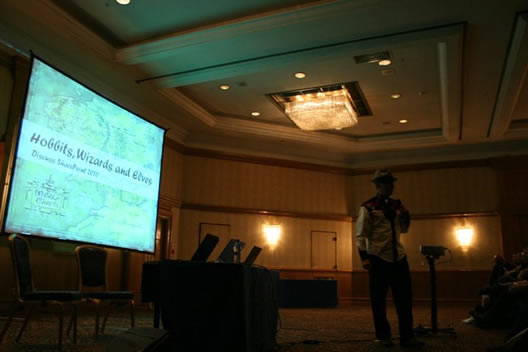
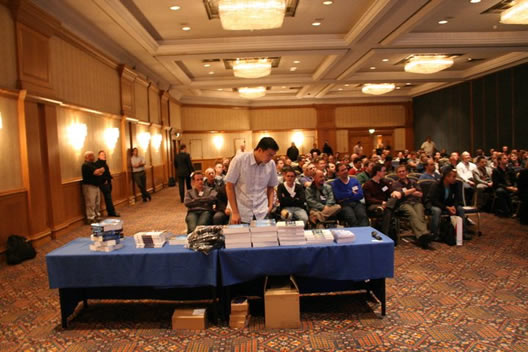
The user group kicks off with Penny Coventry who will kicking off with “Branding SharePoint Sites: Using the browser and SharePoint Designer 2007/2010″, which will cover what is possible with 2007 in terms of design and a little sneak peek into SharePoint Design 2010.
After myself I will be followed by Nikki Ashington on Accessbility.
Also here a little bit of trivia for you. Nikki was who got me into SharePoint design when she was on site at my previous employment as a design consultant – so she is to blame
UPDATE – here is the write up of the event, really good feedback for the event – http://macraem.wordpress.com/2010/01/19/suguk-nottingham-14th-january-2010/
]]>
Between 19th and 22nd of October, I am off to Las Vegas to attend the SharePoint Conference! With over 15000 minutes of SharePoint talk I am going to be coming back having absorbed it all and ready to go with 2010.
Talking of 2010 this is the chance to see the latest version of SharePoint – something I cant wait to see!
I am really looking forward to the conference, seeing the bright lights of Vegas and meeting some of the online people I talk to such as Marcy Keller, Heather Soloman, Mike Watson (again) and all the other design people that share their love for SharePoint!
Hope to see you all there! SharePints all round!
]]>In side the SharePoint master page everything is set to Height:100% – EVERYTHING, even I feel I am set to Height:100% when I have finished looking at the damn code! Removing these can cause all kinds of hidden issues so my rule of thumb is if CSS can bully in line styles then let it go to town them!
The problems crop up when you want to add a custom footer that combined with a small resolution causes this…

As you can see this isn’t very user friendly and looks pretty poor. Well I used my trusty tool set of web apps to find out the cause and hopefully a fix and I feel I have found one. If you use this line of CSS code in your style sheets it will increase the height of the properties pane on the right hand side.
#MSO_tblPageBody {
height:500px !important;
}
This is the fix I have found which has worked for me – if anyone knows a better one or an improvement on mine then feel free to share!
]]>
The CQWP is a fantasic webpart my only two annoyances are that you can only do 3 rules on the filtering and the second is that the results are a bit rubbish in terms of styling, look and feel.
There are two ways you can customise these results. First way is to put a DIV wrapper around the results and style them that way which is ok when you want to do text styling such as color change, style and padding which you can see in the orange box. You can do this by using the styles below but remember – you need to put a DIV wrapper around the Web Part Zone and/or Web Part.
#blogbox .link-item,
#blogbox .link-item a:link,
#blogbox .link-item a:visited,
#blogbox .link-item a:active
{
color:#990000;
font-family:arial;
font-size:1.15em;
font-weight:bold;
}
When looking into this I first tried to style the A tag that is used for the TITLE which read ‘New version of Free2Teach launched’ which worked ok until there was a long title line that wrapped around and underneath. This caused it to visually break and look poor. I then thought I am going to have to do this properly if I want to do it!
What I did was very very simple, I started by opening up ItemStyle.xsl inside the XSL Style Sheets within the Style Library. Next I took a copy of this file (very important!) and then added the following below. I set the template name to ‘ReadMoreLink’ so I could remember it when selecting it in the CQWP settings.
<xsl:template name=”NewLinkDefault” match=”Row[@Style='NewLinkDefault']” mode=”itemstyle”>
<xsl:variable name=”SafeLinkUrl”>
<xsl:call-template name=”OuterTemplate.GetSafeLink”>
<xsl:with-param name=”UrlColumnName” select=”‘LinkUrl’”/>
</xsl:call-template>
</xsl:variable>
<xsl:variable name=”SafeImageUrl”>
<xsl:call-template name=”OuterTemplate.GetSafeStaticUrl”>
<xsl:with-param name=”UrlColumnName” select=”‘ImageUrl’”/>
</xsl:call-template>
</xsl:variable>
<xsl:variable name=”DisplayTitle”>
<xsl:call-template name=”OuterTemplate.GetTitle”>
<xsl:with-param name=”Title” select=”@Title”/>
<xsl:with-param name=”UrlColumnName” select=”‘LinkUrl’”/>
</xsl:call-template>
</xsl:variable>
<xsl:variable name=”LinkTarget”>
<xsl:if test=”@OpenInNewWindow = ‘True’” >_blank</xsl:if>
</xsl:variable>
<div id=”linkitem” class=”item”>
<div class=”link-item”>
<xsl:call-template name=”OuterTemplate.CallPresenceStatusIconTemplate”/>
<a href=”{$SafeLinkUrl}” target=”{$LinkTarget}” title=”{@LinkToolTip}”>
<xsl:value-of select=”$DisplayTitle”/>
</a>
<a href=”{$SafeLinkUrl}” target=”{$LinkTarget}” title=”{@LinkToolTip}” class=”readmorelink”>
read more
</a>
</div>
</div>
</xsl:template>
What I have simply done is coped the full A reference and copied it underneath and set the class to ‘readmorelink’ and added the following css to my style sheet and it should work
.readmorelink {
display:block;
text-indent:-9999px;
background:transparent url(‘../Images/ergoimages/readnewsitem.jpg’) top left no-repeat;
color:#666666;
margin:10px 0 0 0 !important;
padding:0;height:27px;
font-family:arial;
font-size:1.15em;
font-weight:bold;
}
Whilst doing some branding work for a client I was asked ‘can we have different text colors’. I instantly thought of hours of HTML teaching and had visions of brightly coloured pages illuminating fire red, yellow and radioactive greens! So what I needed to do was lock it down so the client can dictate the colors but the users can set them. The best way to do this is give them a selection of custom styles they can use for titles that are outside of the standard h1, h2 & h3 that are set.
.ms-rteCustom-CustomStylesh1 { color: #990000; font-size:3em;font-weight:bold;}
.ms-rteCustom-CustomStylesh2{ color: #666666;font-size:2em;font-weight:bold; }
.ms-rteCustom-CustomStylesh3{ color: #cccccc;font-size:1em;font-weight:bold; }
The way it works it by adding .ms-rteCustom-NEWSTYLENAME the RTE will pick up this style and will insert the desired styling.
]]>
Just a reminder that the Learning Gateway Conference is on the 15th July at The Belfrey in Birmingham. The conference is being held by Richard Willis and Alex Pearce and is design for people using innovative technologies within the education sector. I am not primarily based in the education sector but I do have a keen interest in getting students on board and I love testing out my ideas on them!
I hope you all take a look look at the SharePoint’y style logo I designed for them
If you want more information on the event then check out Alex Pearce’s blog – http://vspug.com/ajp/2009/06/22/but-i-m-a-business-why-should-i-attend-the-learning-gateway-conference/
Hope to see you there!
]]>
Recently a good friend of mine Martin Coulthurst of Lightness recently backed up his computer and asked me about various things he would need to backup, I had a think and we bounced a few things back and forth on what we need to back up, conversation ended and he did his install. The next day we spoke and he realised he forgot one or two very important things – fonts! This then prompted me to think about a little check list of items that I will be thinking about when next back!
With the price of external hard drives now a days there is no excuse for not having the money to buy one. Over at Overclockers.co.uk they have a Western Digital My Book Essential 500GB USB2.0 External Hard Drive for £62.99 – bargain! Get this and you are ready to go!
The treasure chest of any designer, if like me in this folder which can sometimes be called the Desktop (!) has everything saved picture files, word documents with little notes, CSS snippets and even the stray file called something informative such as smd-application3.php which a week ago was as familiar to you as your date of birth, 2 weeks down the line means nothing!
There isn’t an easy to back up your browsers settings unless you download a 3rd party tool. In my experience I find that proxy settings, browser adds-ons such as FireBug/IE Dev Tool bar are my most important ones. Best and easiest way to do this is either – take notes or print screen them into a word document.
Favourites is also something important you want to backup, as designs and most other IT people know how annoying it is when you find something and don’t bookmark it, well that feeling is multiplied by a million when you’ve lost ALL your favourites, trust me I know.
To find your favorites they are here – C:\Documents and Settings\PCNAME\Favorites
Another little designer’s paradise – all the fonts you’ve sound, all the various versions of Arial that are slightly thinner or slightly bolder. Some fonts you’ve found and probably not paid for. All these can be found within the Control Panel > Fonts.
Useful resource if you have lost all your lovely fonts – http://www.csstea.com/css-gallery-news-and-resources/807-11-best-free-fonts-websites.html
I find keeping my conversation that I have had with clients is pretty useful. Whether it be checking back on something you maybe of lightly agreed to or something you may have said to a client or something else you can’t remember, it’s pretty useful to go back and check.
If you are saving MSN conversation you can find them here – C:\Documents and Settings\COMPUTERNAME\My Documents\My Received Files\EMAILADDRESS1212445099954\History.
If you want to turn conversation saving on in MSN then open up the main MSN window – Tools > Options > Messages > Message History (at the bottom)
I personally use Gmail and Hotmail just for the fact that if my system does die, I have this backed up online – for free! But if you are using Outlook then I recommend doing a PST backup of all the email, this may take a while so remember to stick a DVD to pass the time – I recommend the film Hunger – the story of Bobby Sands – Fantastic film.
Everyone knows how annoying this is when you have your software suite perfect then the manufacturers go and do something intelligent like release a new version of software that is poorer than its predecessor (MSN Messenger & Fireworks CS4!) or discontinue the software you are using. I tend to keep my software AND products keys backed up, I suggest you to do the same! Last thing you want is a deadline date, dead system and no software! At least if you’ve backed up you can install what you need as a short term measure. A site I recommend is OldVersion – http://www.oldversion.com/ which I am sure you can guess what the site is about.
Pictures, Music, films or even ambient sounds of frogs or even System of a Down albums (what I use to design to) is all pretty important when you’re in the ZONE.
If like me you have 1 FTP programme with all the sites that I look after listed, then you will be pretty annoyed if you lost all them! I do have them all saved but it is a chore having to wade through emails trying to find each and every site you look after! Even if you have then found chances are the FTP password has been changed so you have to then log in to the cPanel or dashboard to get the details so its a pretty good tip to save these!
Most FTP programs come with an export/import option that usually exports out as a CSV or text file of some kind. This option is a winner for me, I probably would use an FTP programme that doesn’t have this feature – WiseFTP 5 does and that is what I use.
This is probably THEE most important thing to back up, I personally carry all these on USB stick which is locked away in a fireproof, flood proof and child proof safe. My client list has all my clients’ names, emails, contact numbers and dates of work and what was done. Just imagine if you lost this? I actually feel anxious writing that! Same goes with business documents, all backed up just in case anything happens.
]]>
Before I thought about contracting I was doing freelance on the side and saving from my permanent job. This helped me raise a buffer of 4k to enable me in essence to quit my job sit on my backside for 3-6 months and still pay my bills and live my lifestyle. Agencies are really interested in getting a contract in 1 or 2 months it’s usually weeks. In my case I quit my job and didn’t have a contract lined up as I was on a 2 month notice period. That money would help me pay my bills whilst I searched for my contract. 2 weeks left of my notice period I had secured myself a contract and started the day after I left my permanent role! I didn’t need that money in my buffer so I have put it in an account to sit for a rainy day or the next time I am looking for a contract.
Limited Company
The vast majority of IT contractors work through their own Limited Company.
If you wish to set up your own Limited Company, you can use the ContractorUK Company formation service which enables you to complete the whole process on line within a matter of minutes, and have your brand new Company ready to trade within a few hours. You can check to see if the name you require is available here also. Alternatively, you can apply for a limited company direct from Companies House (but this will take longer).
Umbrella Company
An Umbrella Company provides a readymade invoicing vehicle for contractors whilst also removing the administrative duties normally associated with contracting in the form of a Personal Service Company. The Umbrella Company normally issues invoices on the contractors behalf, collects payments from clients/agencies, calculates tax and N.I contributions and pays the contractor their net pay direct to their personal bank account.
PAYE through the Agency
Some agencies allow you to become “PAYE” through their own payroll service.
This is the least tax beneficial option available to a contractor as you pay full tax and national insurance (NI) contributions on all your earnings. In addition this option does not allow you to claim valid business expenses which would help to reduce your tax and NI liabilities.
I personally don’t fancy doing tax returns, sorting out VAT (if applicable), setting up tax and all that stuff! So get someone to do it for you who is specialised in the subject. I’m lucky to have an accountant that has knowledge of small businesses and contracting. Price wise your looking at around £80 pound a month and depending on how up to date and clear you Business Briefcase is this can be reduced.
Little Tip – this relationship between you and your accountant isn’t like your friend is helping you out when he can -so get your accountant to earn this money, as you are paying him! If there are ANY questions or anything you may no understand then ask them. They are there to help if they aren’t helping you – like a real business. Sack them.
It is very important to have a clear CV that has a list of skills that can be clearly seen. My advice is to have the skills on the front page when recruitment agencies are looking at CV they don’t have a clue what this acronym means they just see if you have XHTML and see if the acronym is in your CV!
Depending on if you are a coder or a designer having an online portfolio may or may not be needed. Designers will read his and know the importance of having a visual representation of your amazing work. Get yourself a portfolio ready and working for your potential employers to look at!
Once you get into the loop of things you will no doubt start getting a lot of phone calls asking about your availability which is really good but its the norm. Below is a list of some good job boards offering contract and permament posts. You can register and upload your CV I recommend this as recruiters tend to search these based on your CV so using the acronyms and keywords detailed in 4. Build up a CV and your online portfolio!
The ‘Business Briefcase’ as I call it is a list of important documents you need to keep safe and update to help you run your business smoothly and reduce your accountant costs. In my ‘business briefcase’ I have the following :-
Below are a list of UK banks that offer business banking, there are many banks out there that offer different services such as online banking. Remember to read the small print and the charging chart that they will have, this will show if they charge for the little things you use ever day in your personal accounts such as paying a cheque in etc.
Little tip – when you have set up your online business bank account setup 2 additional accounts giving you your current account, tax and vat. By getting your account to give your quarterly updates in regards how much tax, vat you may have to pay you can transfer this money into those accounts ready for when the taxman comes knocking!
The IR35 legislation is designed to increase the NIC revenue from the service industry, which on the whole has found it more tax efficient to distribute income as dividends, usually subject to the payment of a small salary. To this end, it introduces the concept of “deemed salary” which will be taxed and subject to NIC as if it has been paid as a salary.
In terms of contracting I went to a solicitor and paid to get a contract written up. I advise you do this as well. Some agencies contracts are IR35 friendly, you need to get this checked and in writing.
For more information check out the Inland Revenue at – http://www.hmrc.gov.uk/ir35/index.htm.
Negotiating your rate is probably the most important thing to do. This will determine a few things such as how happy you’ll be for the next few months and how happy you’ll be at the end of the month. Agencies can be little blighters in terms of rates, for example they will lower your rate to increase their profits, let me explain. When you first speak to an agency it is important to ask what rate they are charging out at just because they are paying you say £300 per day doesn’t mean they are charging that back to the company – why would they do that they wont be making a profit! What agencies tend to do it pay you £300 a per day but charge you back to the company you are working for at maybe £350 or even £400, making a profit from you for doing NOTHING and I mean NOTHING. Agencies will even sometimes say that the company are not prepared to pay you £300 and want to pay you £250 – STAND YOUR GROUND – as they are probably lying to lower your rate, but still charge you out at £350+ making them the profit.
IT Jobs Watch is a website that shows the industry rates for IT contractors and permanent staff, the rates are based on london and outside of london rates and the trends for the industry you are in. Website can be found at – http://www.itjobswatch.co.uk/
Little Tip – ask for a london rate and depends on there reaction lower, if you ask for a london rate and they hesitate or sound like they dont want to pay that. State you are willing to negotiate and thats a rate you work off, you may even get it!
Through my experience as a contract and talking to many contractors I have learnt and created a few tips that can help you and make you a better contractor!

These results are top 20 best website in the UK based on the SOCITM – “Better connected 2007 – A snapshot of all local authority websites” report. People who are looking to develop for a local government website or council partner site will find this very useful. The list isnt based on design, it is based on design, accessibility, functionality and ease of use/navigation.
]]>
I spent a lot of time trying to put SharePoint in a nice place where it could flourish without being bullied by other sites that conform to accessibility standards. So you can probably understand my anger when I discovered that my new masterpage and css broke the drag and drop functionality.
When in Edit Mode, you try and drag and drop a WebPart from one WebZone to another it ill throw up a Javascript Error and the functionality wont work. Even though this functionality only works in IE it does present a customer use problem.
At first I used Neil Mosafi’s solution of using his JavaScript fix, at first it worked but I saw it only worked periodically, so the problem still existed. I searched and I searched and found nothing. I then looked at using the CSS to control the problem which I believe is that the webparts don’t exist now because they are divs and not tables (?)
I’m not a techy so I tend not to delve into the problems as much as they do, I just look at why it doesn’t work and what is the easiest fix.
body {
margin: 5px;
padding: 0;
text-align: center;
font-family:Arial;
font-size:62.5%;
background:#ffffff;
position:relative;
}
I found adding Position:Relative to the body fixes this, I tried doing this on all the WebPart TD tags but it didn’t work and it got tiresome and annoying, I have found that this has worked but SharePoint being SharePoint it doesn’t wondering unexplained things, so time will tell if this has really fixed the problem.
]]>